How to Apply for the GitHub Student Developer Pack: A Step-by-Step Guide
Unlock Your Free GitHub Education Benefits Today. The GitHub Student Developer Pack is an essential toolkit for any student in tech. This guide gives you the exact, step-by-step process to get your application approved.
The GitHub Student Developer Pack is an essential toolkit for any student in tech. It provides free access to professional-grade developer tools that can accelerate your learning and help you build an impressive portfolio. This guide gives you the exact, step-by-step process to get your application approved.
Step 1: Set Up Your GitHub Account with Your Student Email
The first and most important step is to link your GitHub account to your educational institution.
For New GitHub Users
When creating your account, sign up using your official student email address (for example, XX-XXXXX-X@student.aiub.edu).
For Existing GitHub Users
- Go to your account's email settings page: https://github.com/settings/emails
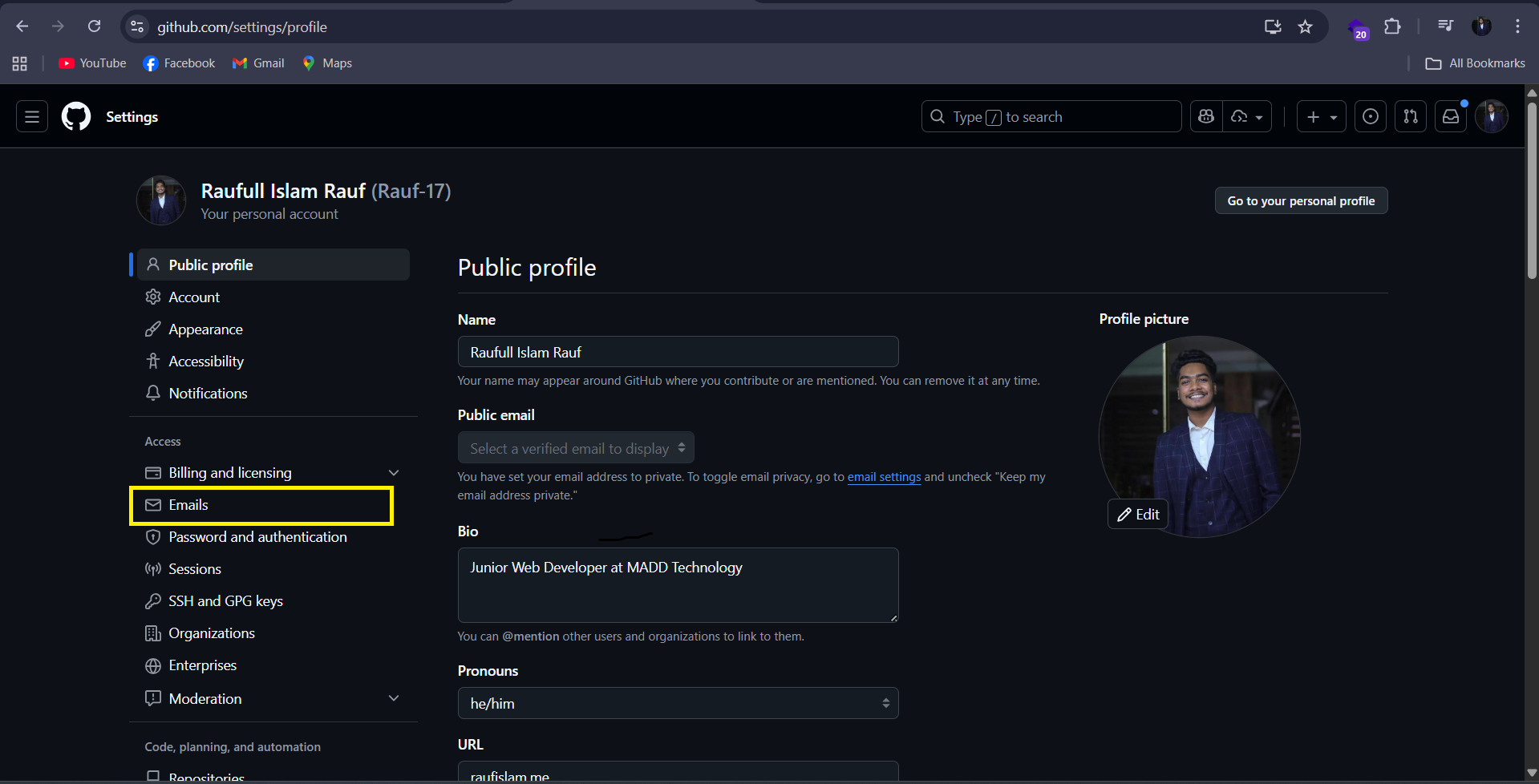
- In the "Add email address" field, enter your official student email and click "Add".
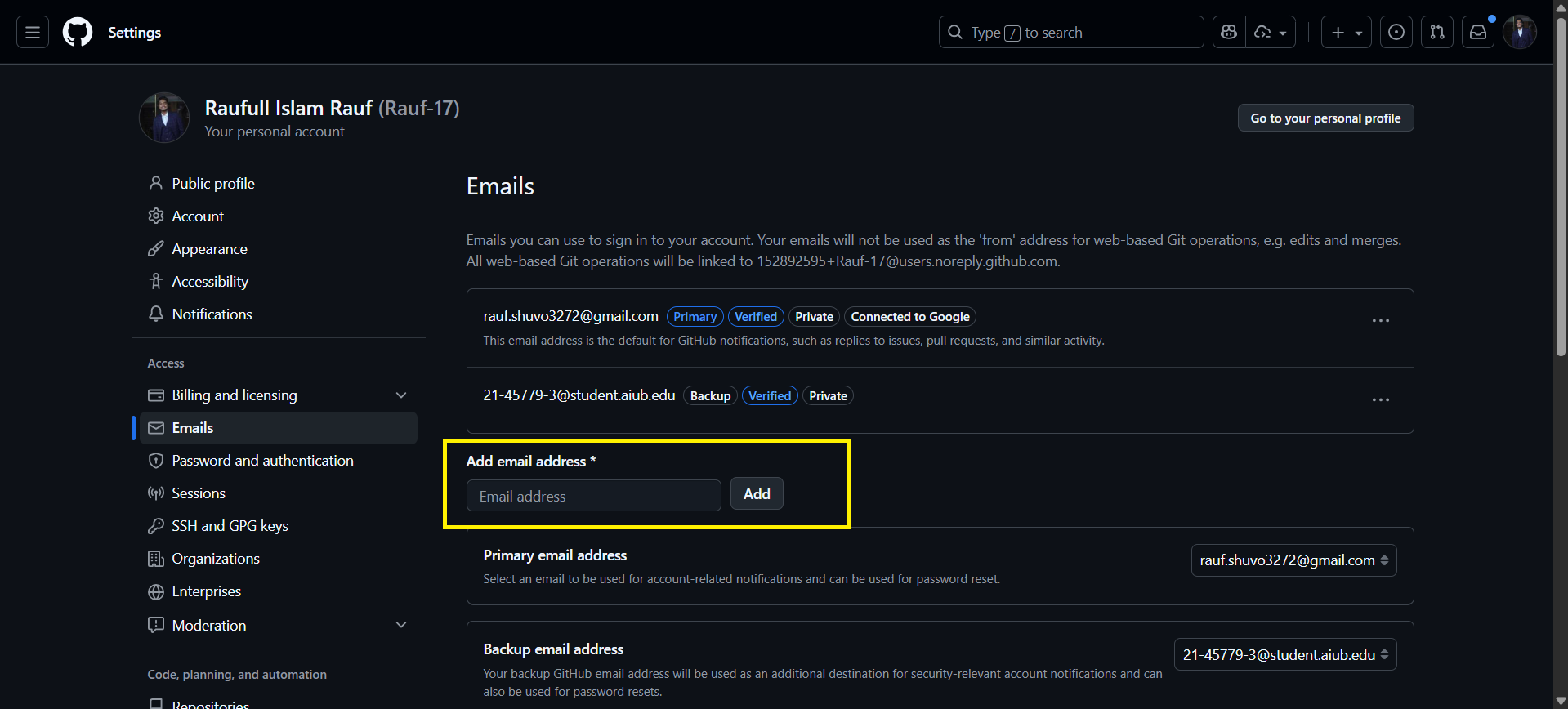
- Check your student email inbox for a verification link and click it to confirm you own the address.
Step 2: Secure Your Account with Two-Factor Authentication (2FA)
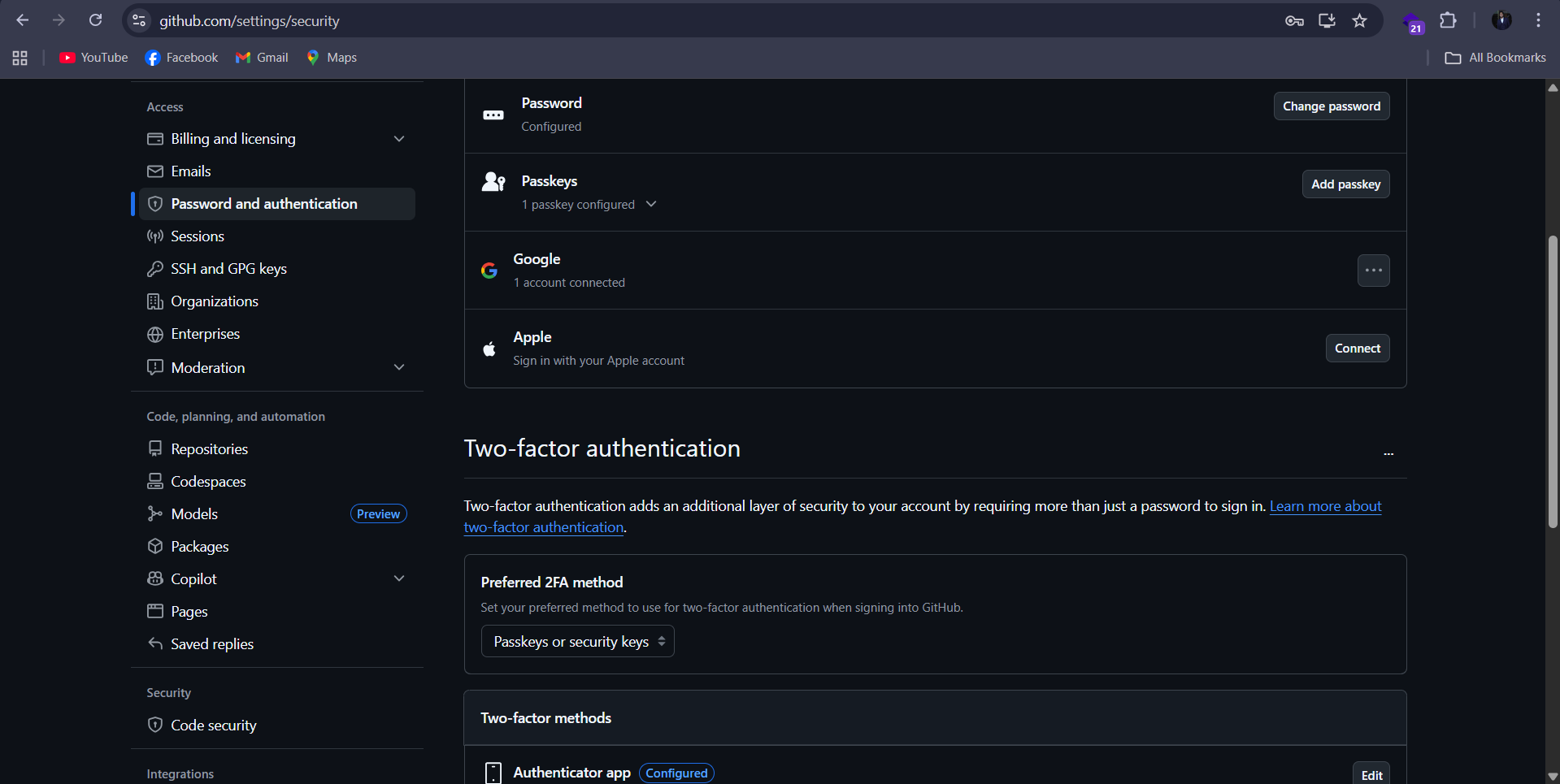
Securing your account is a prerequisite for accessing many of the benefits, including Copilot Pro.
- Navigate to the "Password and Authentication" settings: https://github.com/settings/security
- Click "Enable two-factor authentication" and follow the on-screen instructions to set it up using an authenticator app or another method.
Step 3: Verify Your Billing Section (No Payment Needed)
You do not need a credit card for the free student pack, but you should know where this setting is.
- Go to the "Billing and plans" > "Payment information" page: https://github.com/settings/billing/payment_information
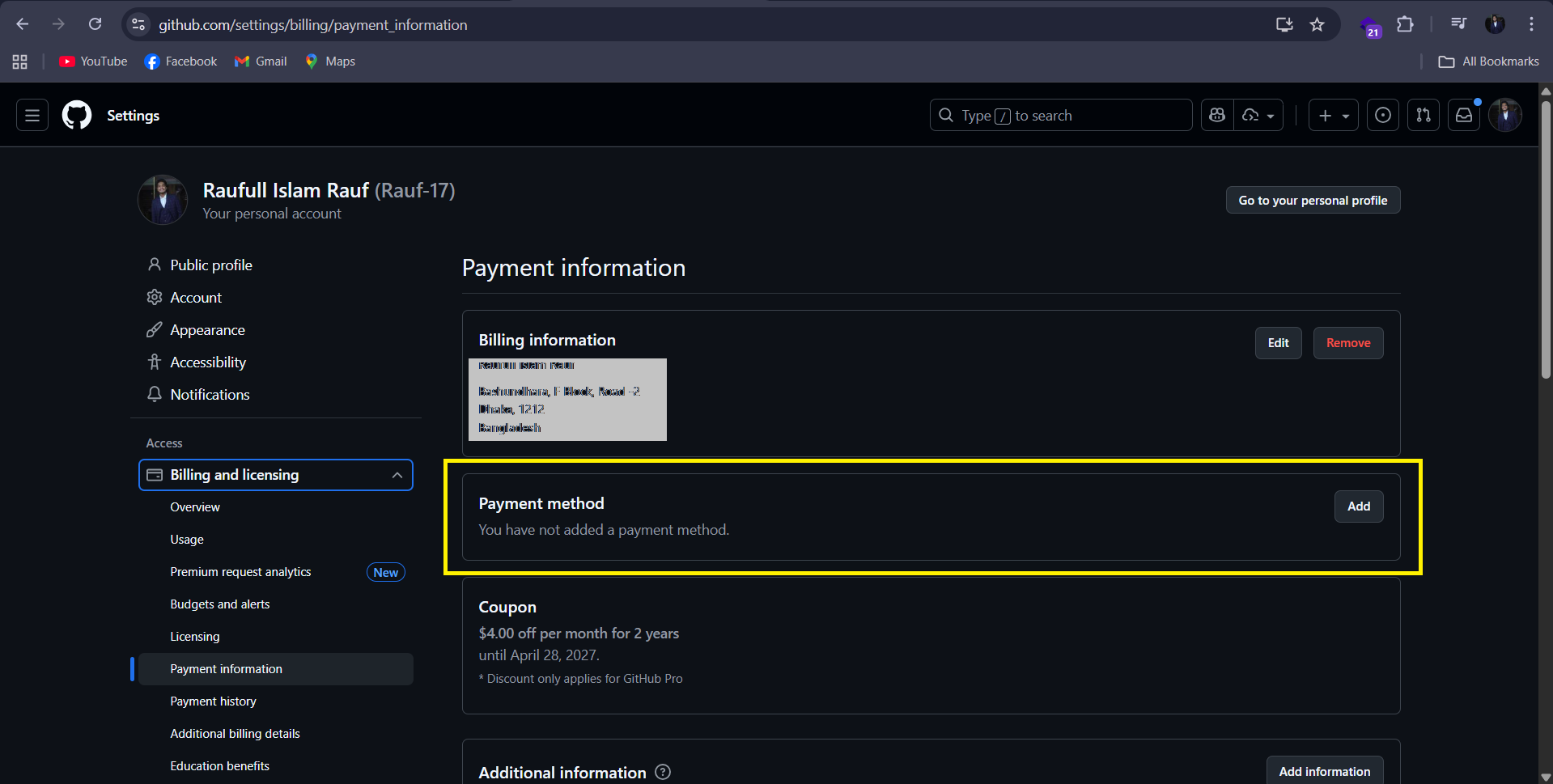
- Confirm you are on this page. No credit or debit card information is necessary to proceed with the student application.
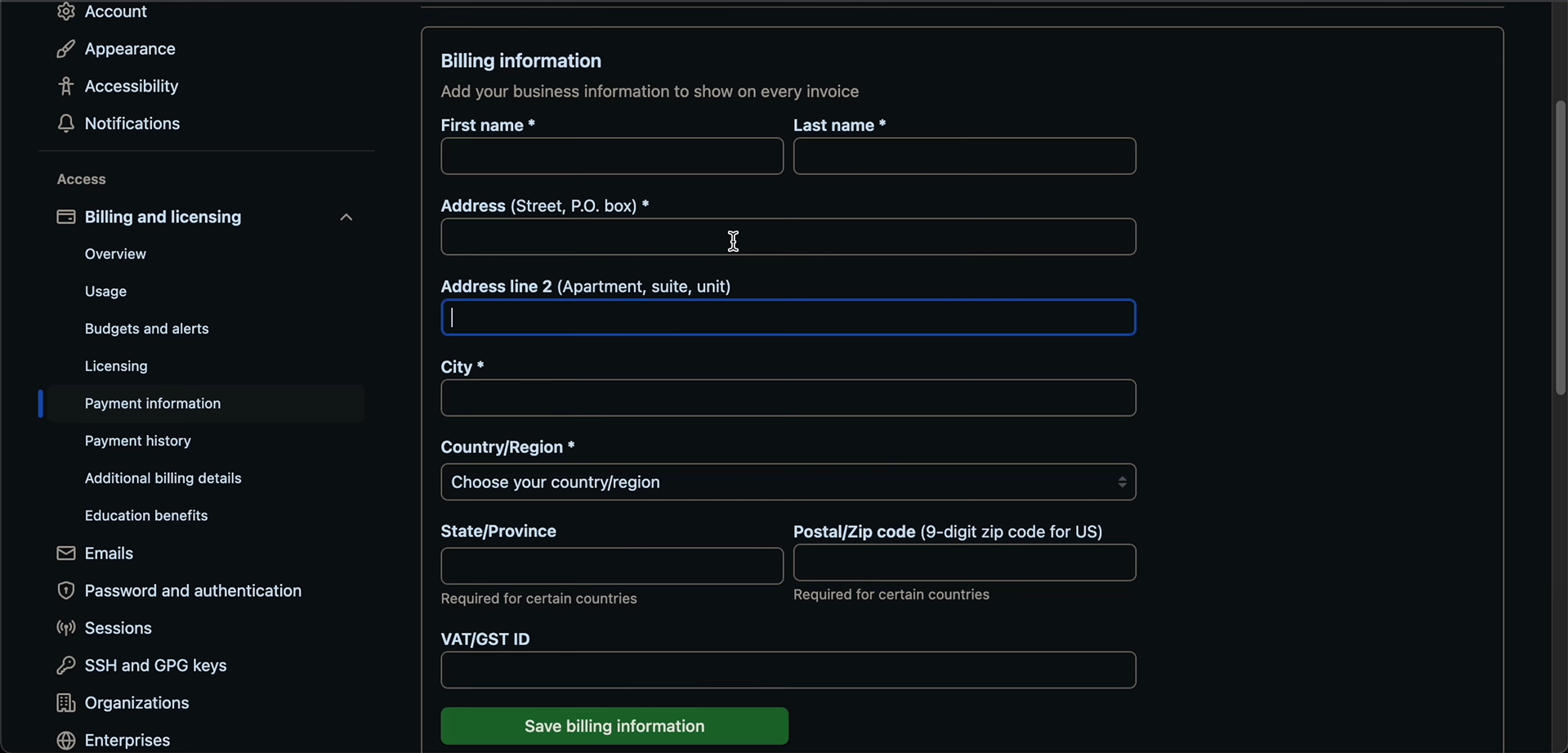
Final Step: Apply for Your Education Benefits
You are now ready to submit your application.
- In your settings, navigate to Billing and plans and then select Education.
- Click the button to start your application.
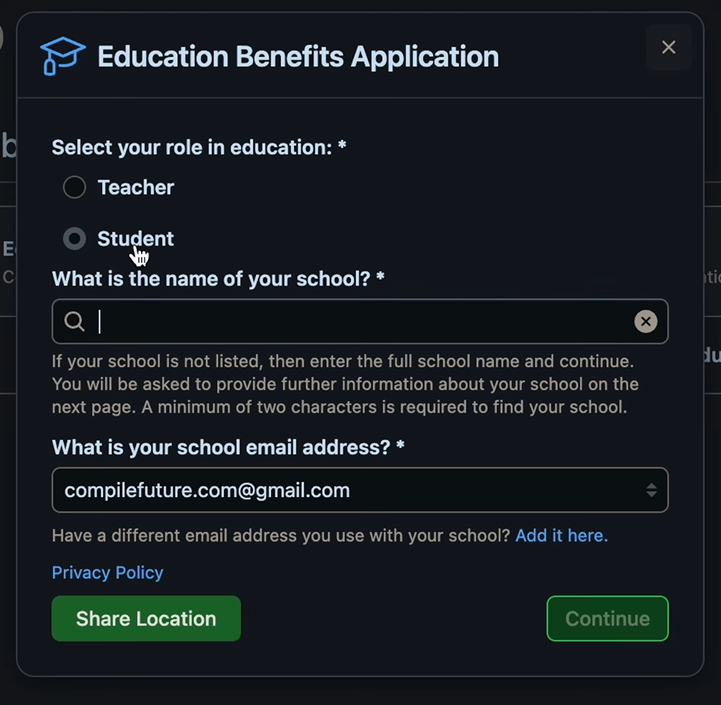
- On the application form, carefully fill out the fields:
- Select your academic status: Student
- Select or add your School
- Provide your verified educational email address
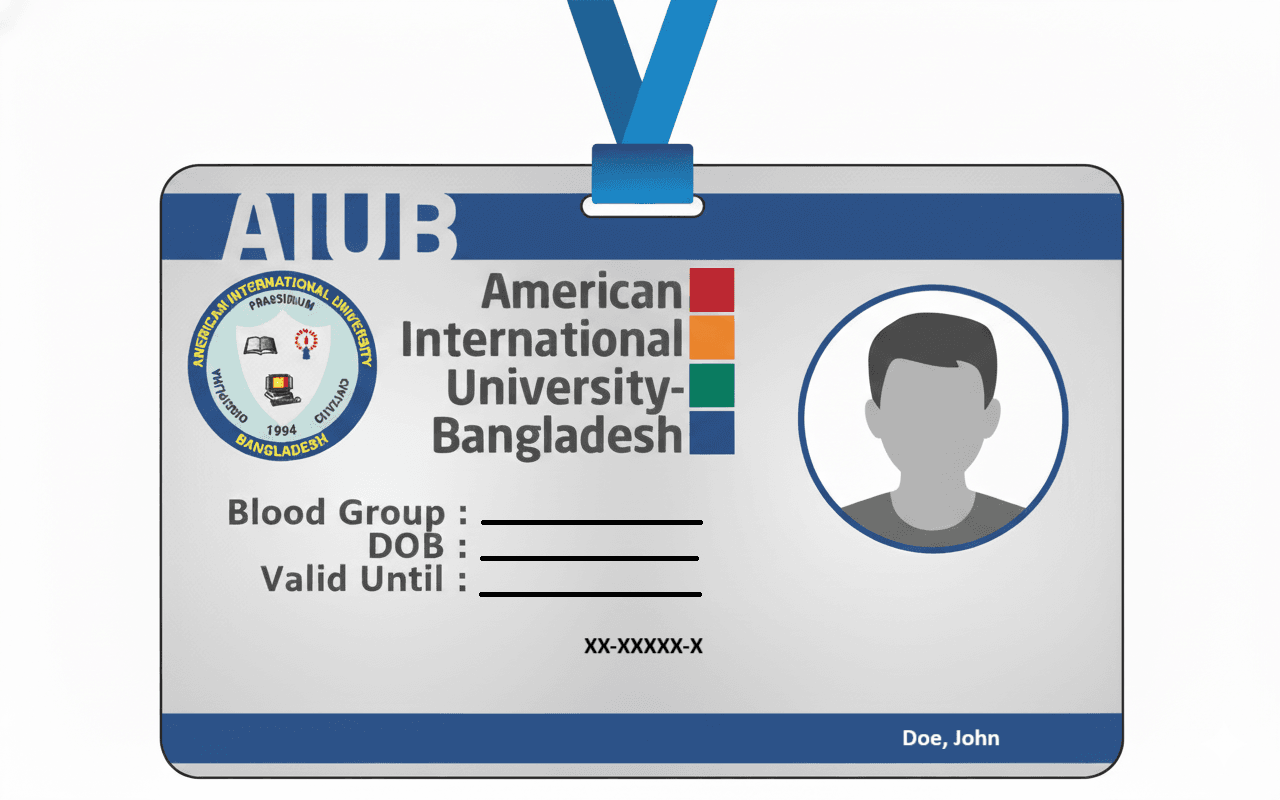
- For "Proof Type," select the ID Card Option
- Upload a clear image of the front side of your student ID card
- Click Submit
What to Expect After You Submit
After submitting the form, you will receive a notification in your educational email about the application. The "Education" section in your GitHub settings will show a message while you wait for verification:
Your academic benefits, including Partner offers, will become available after 72 hours of your verification.
Once the benefits become available, you will be able to access the Students Developer Pack offers.
When Your Application Is Approved
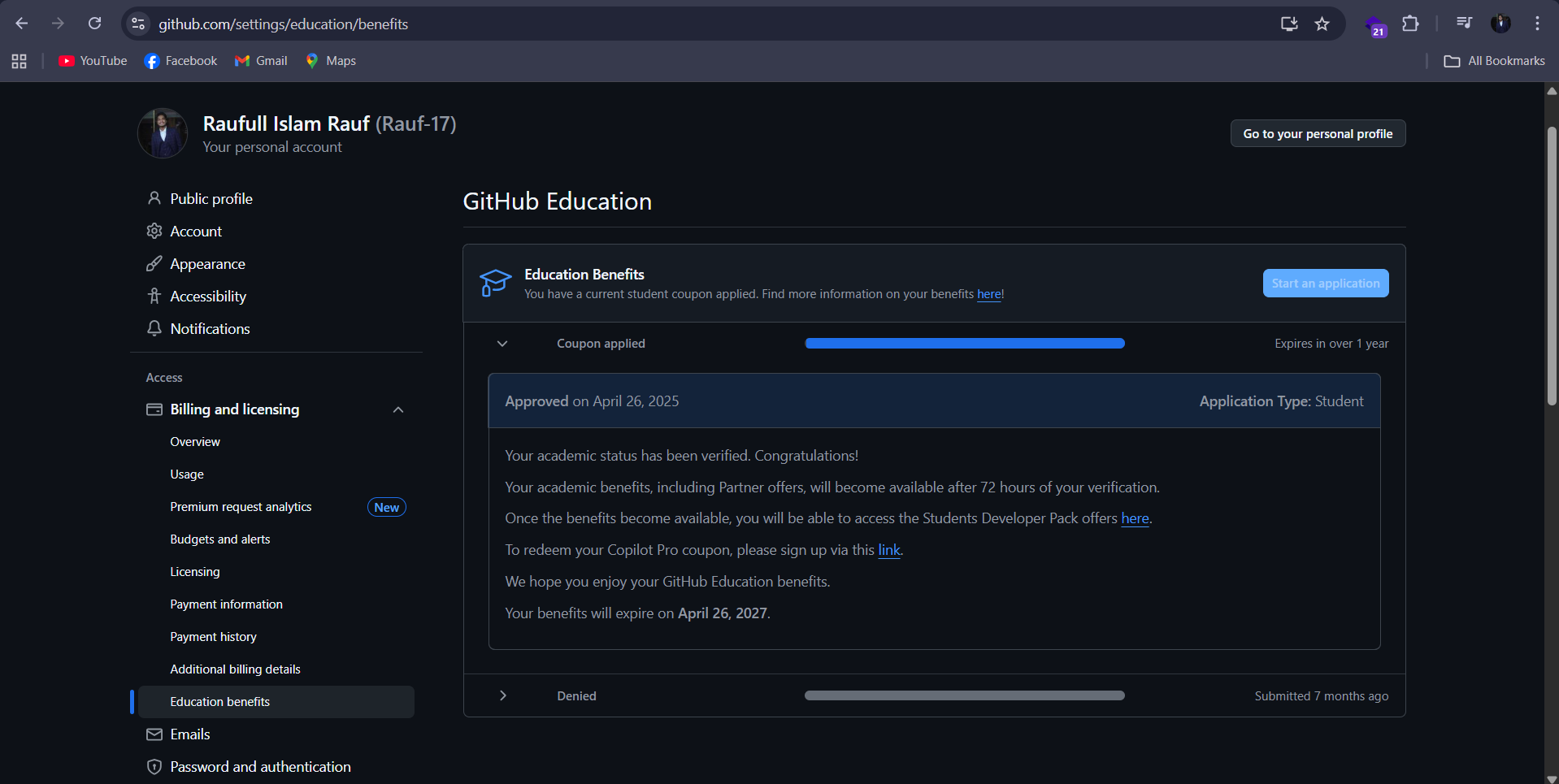
Congratulations! Once GitHub verifies your student status, the "Education" page will update with a confirmation message:
Education Benefits You have a current student coupon applied. Find more information on your benefits here!
Your academic benefits, including Partner offers, will become available after 72 hours of your verification.
Once the benefits become available, you will be able to access the Students Developer Pack offers here.
To redeem your Copilot Pro coupon, please sign up via this link.
Your benefits will expire on April 26, 2027.
You have now successfully unlocked the GitHub Student Developer Pack and are ready to start exploring the powerful tools it offers!
A Sneak Peek at Your New Superpower: GitHub Copilot Pro
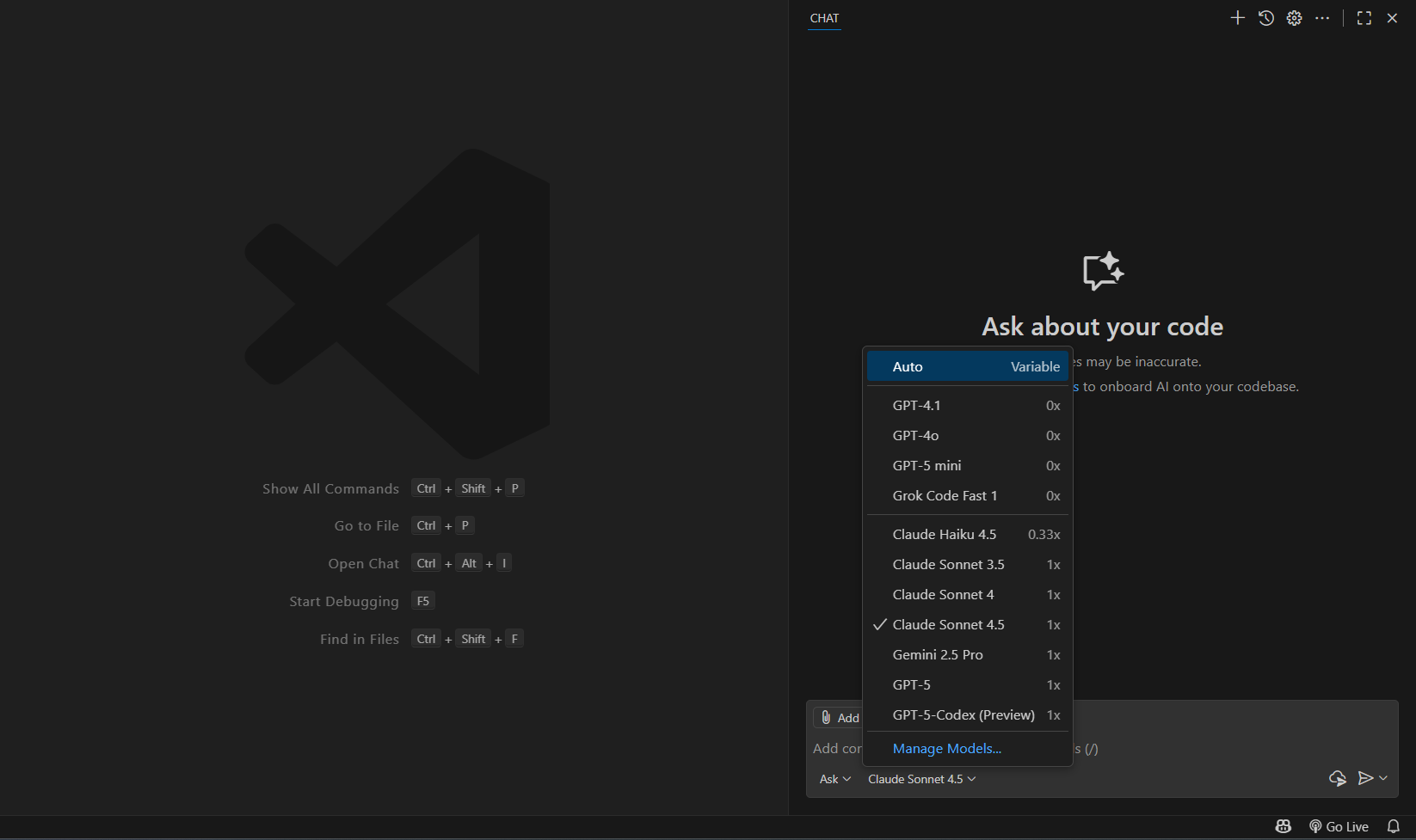
One of the most valuable benefits you have just unlocked is GitHub Copilot Pro. You will get around 250-300 Premium Request and Response per month. After you complete your premium requests, you will still be able to use models like GPT-4o and others. You will be able to add Copilot to your VS Code and start using it in the VS Code as chat and inline chat.
Conclusion
The GitHub Student Developer Pack is a game-changer for students. Take advantage of these free professional tools to accelerate your learning, build impressive projects, and prepare for your career in tech. Happy coding! 🚀
Author

Raufull Islam Rauf
Software Developer